
New v0.96 Released! -- Sept 19, 2015First version with a Windows installer. Installing BGPKiller is now very easy, even for the novice user. Please share it with your non-techie friend!
Note that there is no "portable" version anymore. Please let me know if you feel you'd need a more portable release. Meanwhile, previous BGPKiller versions (which were portable) are still available for download if you need to do everything by hand. New v0.93 Released! -- Sept 7, 2015Previous version (v0.92) was causing a false positive with Panda antivirus Heuristic analysis. These heuristics can be a pain for small developers! I had to replace some Win32 API calls with other equivalent calls to make this false positive disappear. So this version is basically identical as the previous one (feature-wise), except for the Panda false positive that's now resolved. Enjoy.
New v0.92 Released!New command-line options now available for advanced users, such as turning off logging or hiding the icon in the System Tray.
Also fixed some typos and other minor bugs. The same version is now tested on all Windows OS versions, i.e. from XP to 10, both 32 or 64-bit. New v0.91 Released!Support for Windows XP now added.
The same version now supports from Windows XP up to 8.1 BGPKiller v0.9 Released!This is the first officially release version of the BGPKiller application.
The version is not at v1.0 yet simply because of some important standard features missing :
Future versions may improve on these aspects. Stay tuned. Download latest versions here

Release Notes
|
Operating systems supportedBGPKiller is compatible with Microsoft Windows only.
The following versions of Windows have been successfully tested :
Note that it should work with any version from Windows XP up to Windows 10 (32 & 64-bit). If you try it with any other Windows versions (95, 2000, etc.) please provide feed-back and I'll add them to this list. I'm also interested to hear about any other problem you encounter with the application -- don't hesitate to contact me for feed-back. 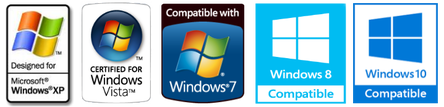
InstallationBGPKiller comes with a standard Windows installer. So nothing special here, you just have to run the installer and accept default options.
By default, it will add an entry to your Windows Startup folder, which means the application will automatically start when you log into Windows. And That's of course the best way to use BGPKiller, i.e. always running and killing Avira ads! Hints for curious users:
| ||||||||||||
© AVIRAJOE

